Training Tracker
A workout log that runs inside Google Sheets. Nothing to install, nothing to pay for, no account to create beyond the Google account you already have.
Open it on a tablet at the rack, tap numbers up and down, and the sheet fills itself in. Next week it looks at what was lifted and how hard it felt, then proposes slightly more.
What it looks like
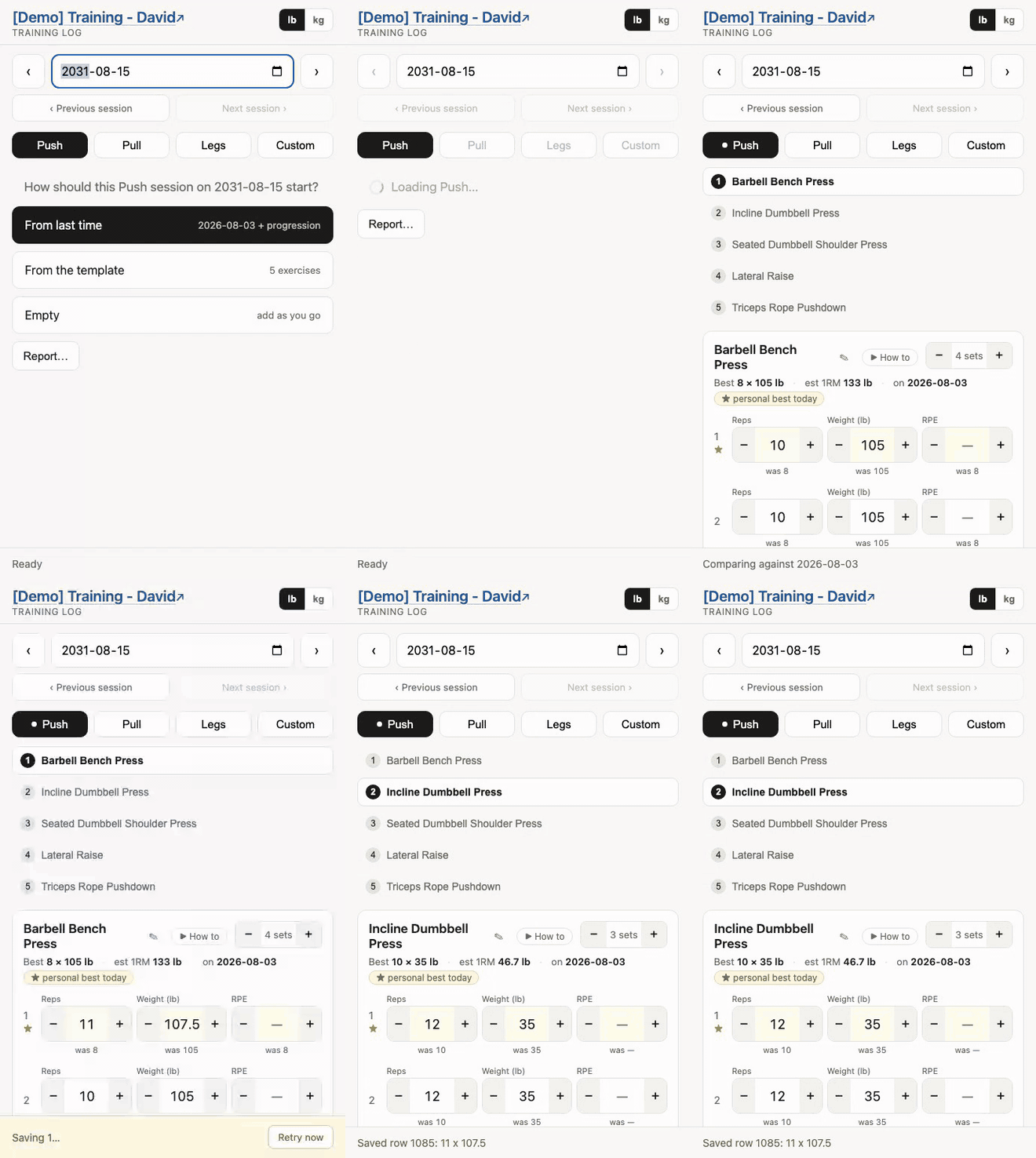 | 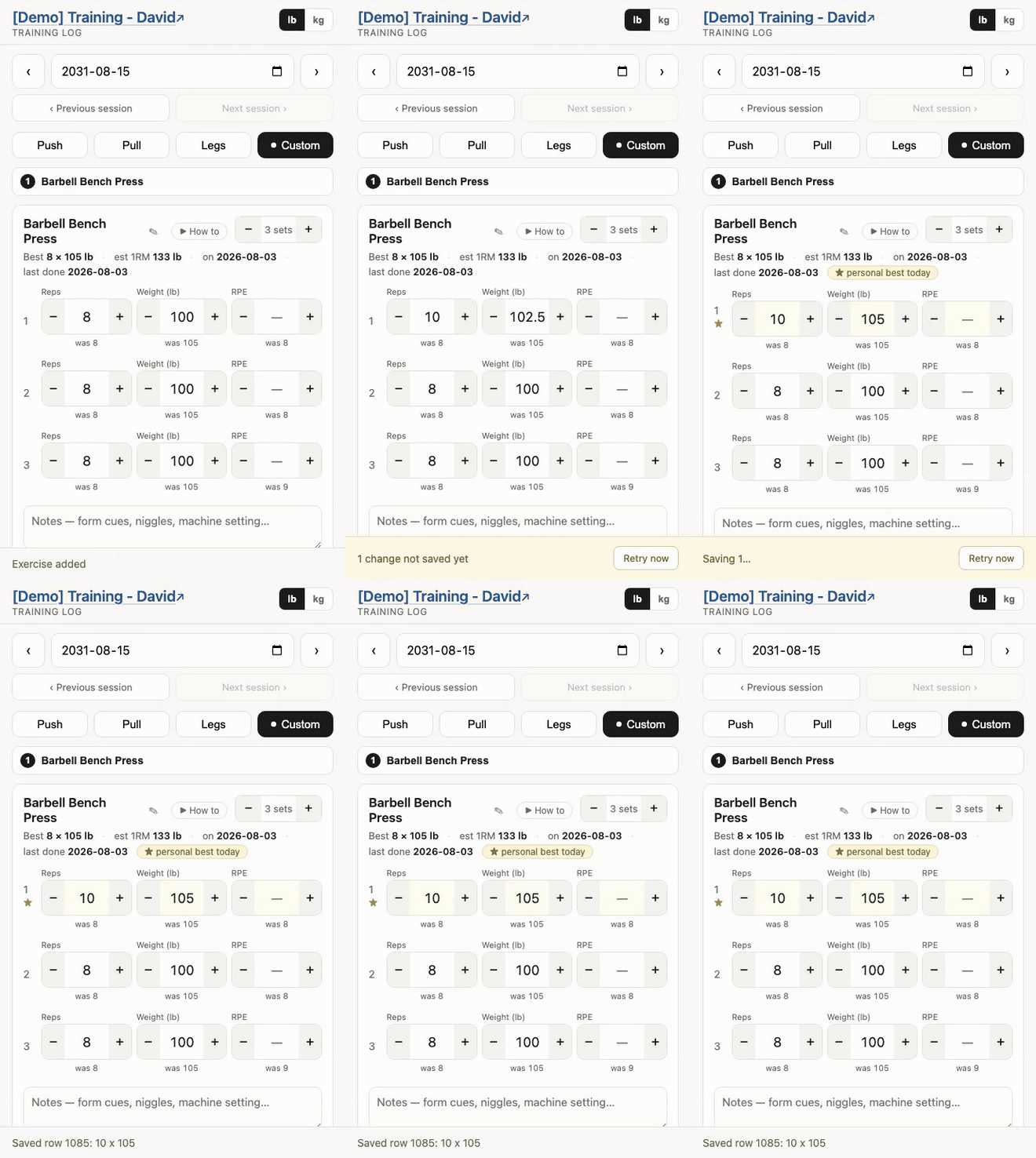 |
| A session, end to end — pick a day, and it arrives filled in from last week and nudged up. More → | Log without typing — every number is a − / + button, read back out of the sheet before it counts. More → |
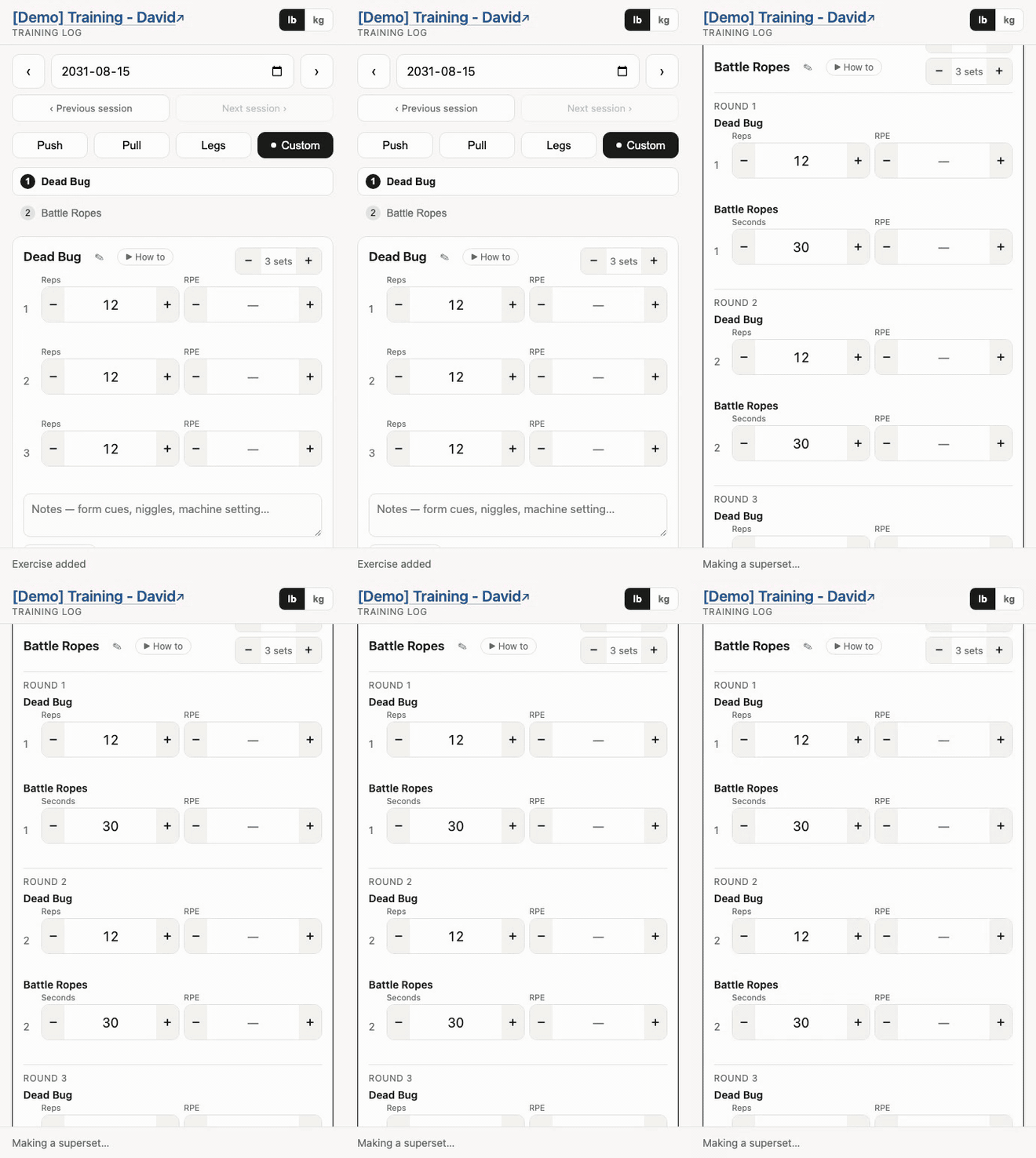 | 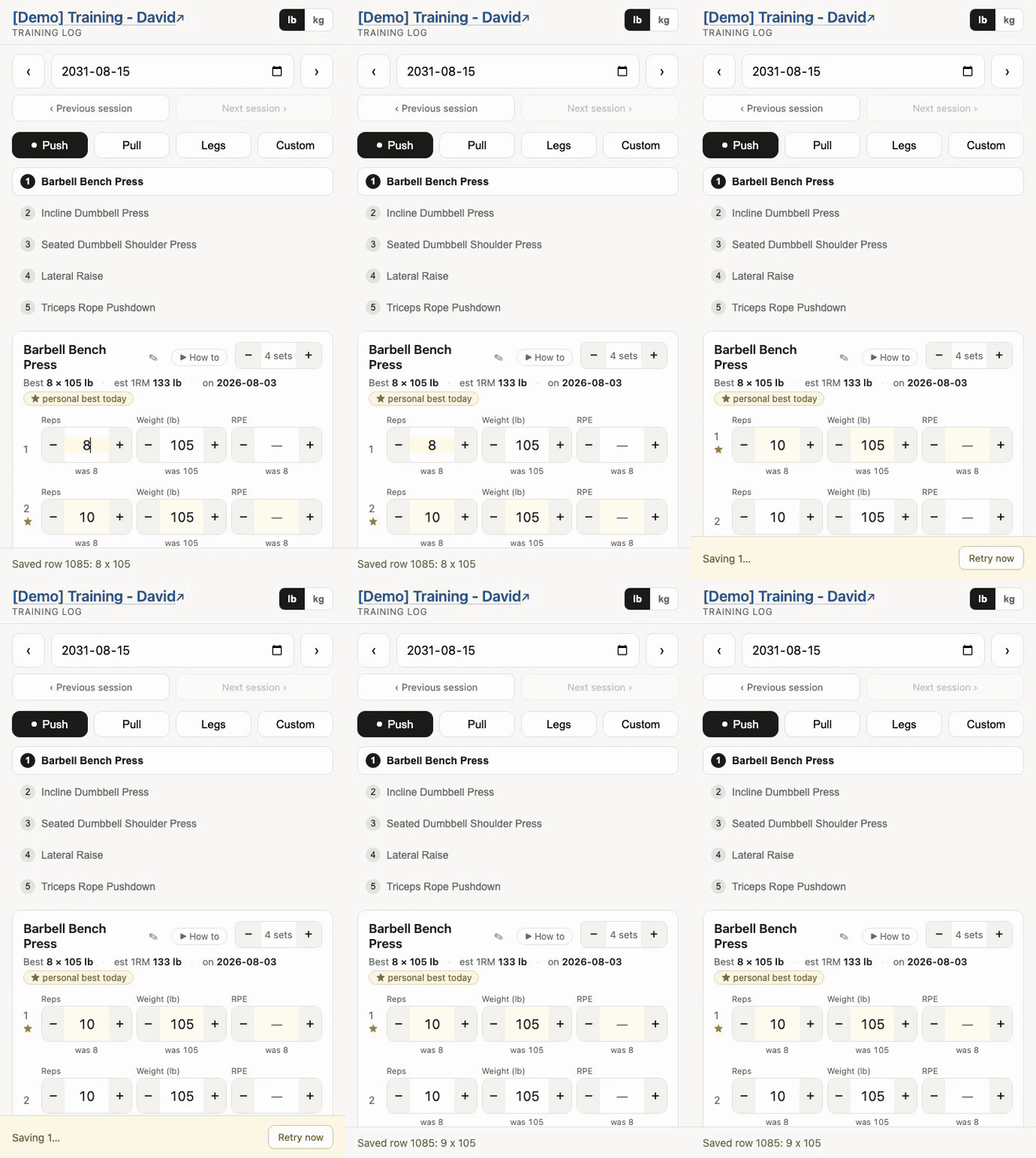 |
| Supersets — pair two exercises and they become one card, laid out round by round. More → | Personal bests — worked out from the log and starred on the card as you train. More → |
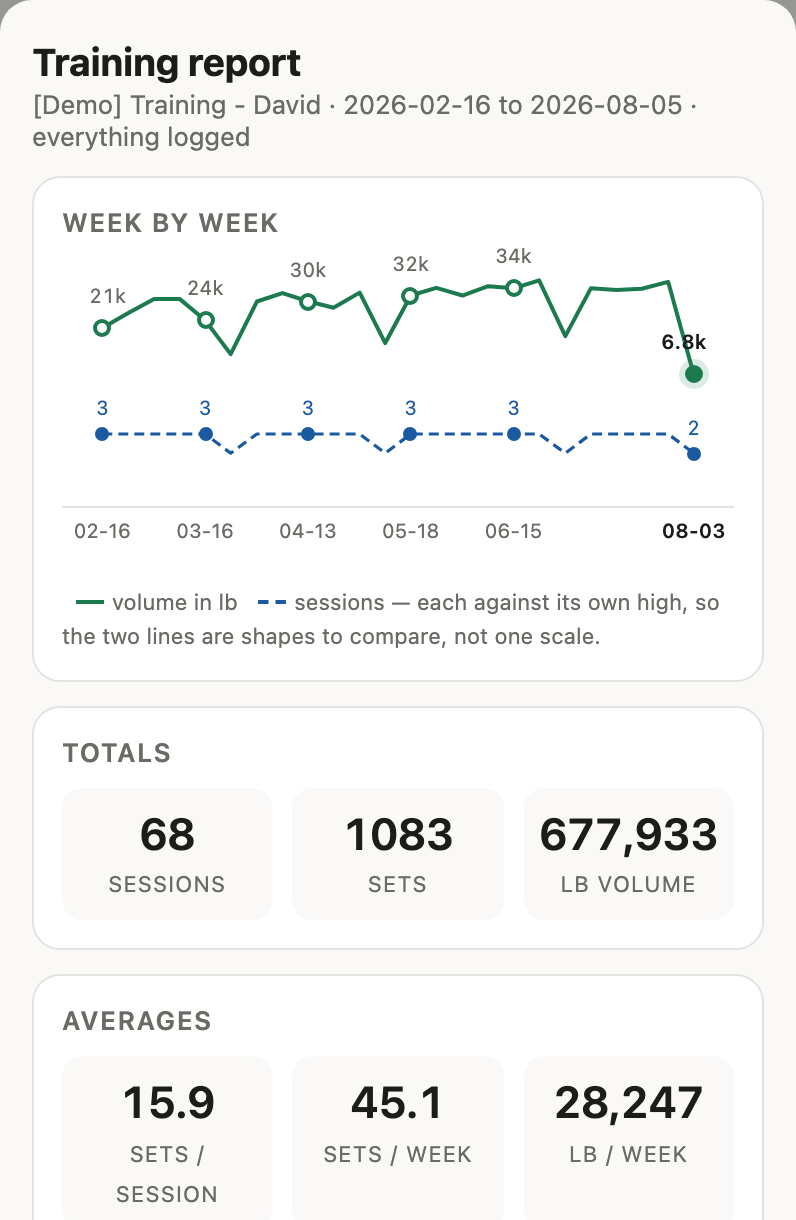 | 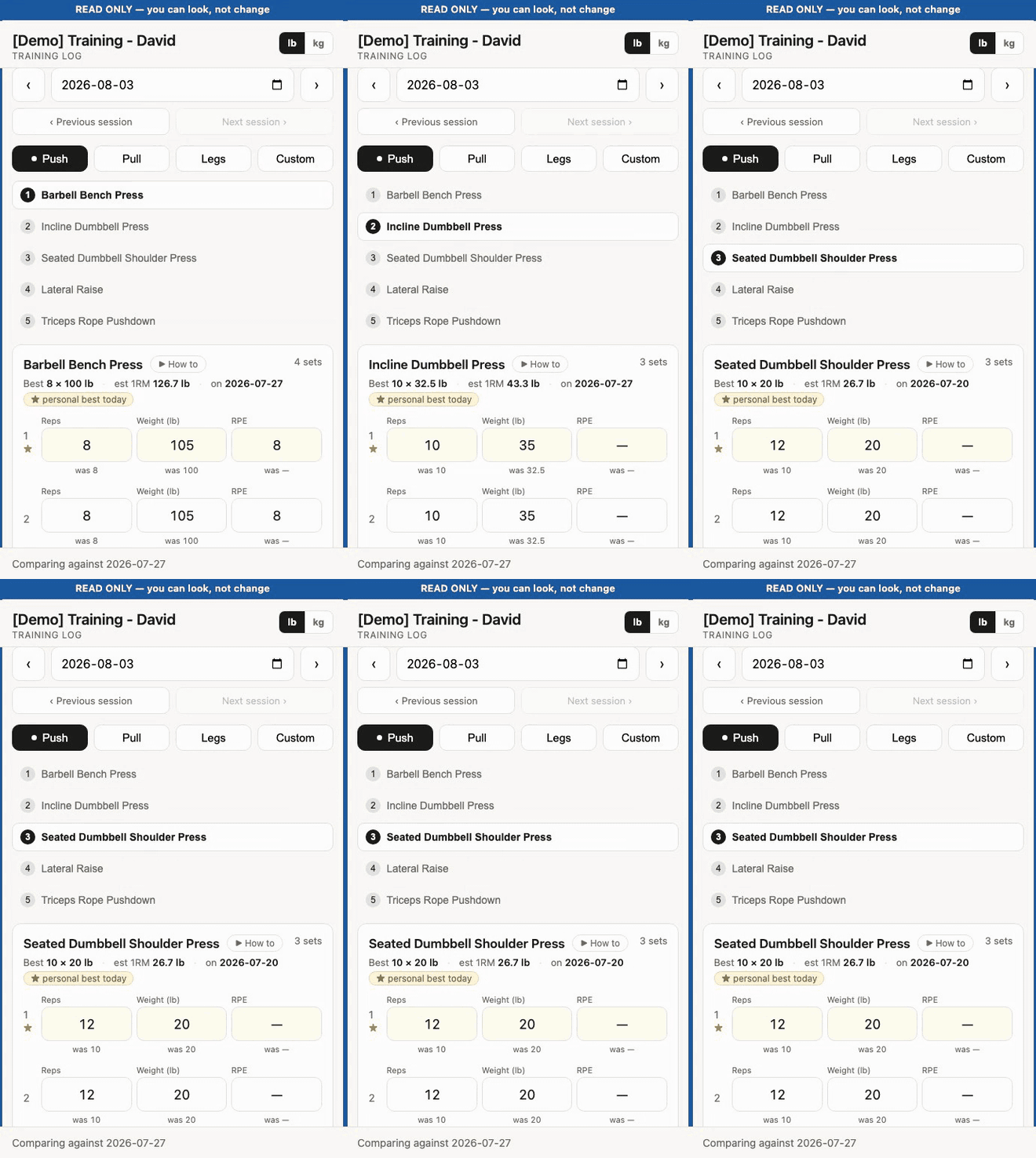 |
| A report on demand — any period, volume and sessions over time, each exercise against its all-time range. Prints to a PDF. More → | A read-only link — the same log with nothing to press, enforced on the server rather than by hiding buttons. More → |
Try the read-only demo
Both links are read-only, and hold about six months of seeded training.
What is in the demo log
Some 1,100 sets over 70 sessions, chosen to show the things worth seeing:
| Day type | Sessions | What it demonstrates |
|---|---|---|
| Push | ~24, weekly | Months of the same lifts, so weights climb and the was 95 line under each field has something to say. The newest sessions carry RPE and a note. |
| Pull | ~23, weekly | Includes Pull-Up — no weight field at all |
| Legs | ~20, weekly | The heaviest numbers, so records read clearly |
| Custom | one, in August | Plank in seconds, Push-Up unweighted, Farmer Carry both timed and loaded |
Use ‹ Previous session to walk back through them — landing on today shows nothing, because nothing is logged today. Anything older than six months is archived off, which is what keeps it quick.
It is a live spreadsheet rather than a fixture, so the exact numbers drift as the demo gets used.
Two roles, one link each
Every log has an admin link and a viewer link.
Admin — …/exec?key=a1b2c3… | Viewer — …/exec | |
|---|---|---|
| Sessions | Starts them | Reads any of them |
| Reps, weight, RPE | Changes them | Reads them |
| Sets and exercises | Adds and removes | — |
| Notes | Writes them | Reads them |
| A whole session | Deletes it | — |
| The report | Builds it, prints it | Builds it, prints it |
Read-only is enforced on the server, not by hiding buttons, so a viewer link genuinely cannot write.
Who holds which link
- Logging your own training? Keep both. You are the admin. The viewer link is optional — hand it to a training partner, or never use it at all.
- Working with a personal trainer? They hold the admin link and record the numbers during the session. You get the viewer link and can look up any session afterwards.
Which page do I want?
| I am… | Start here |
|---|---|
| Setting this up for the first time | Setup guide → |
| The one recording sets — myself or a trainer | User guide → Admin → |
| Someone who was sent a view-only link | User guide → Viewer → |
| After personal bests | Personal records → |
| Unsure what a training term means | Training terminology → |
| Hitting something odd | Troubleshooting → |
| Curious how it is built | Architecture → |
What it does
- One sheet per person. The spreadsheet is the database, not a copy of it.
- Builds this week from last week, nudged up from what you managed and how hard it felt.
- Never edited in the spreadsheet. Every number is a − / + button, because hunting for a cell on a tablet mid-set is the thing to avoid.
- Survives bad wifi. Changes queue on the device and save themselves when the connection comes back.
The rest of it
- Records RPE. Every set gets a 1–10 “how hard was that”, which is what drives next week’s numbers.
- Tracks personal bests. Worked out from the log, shown on the card as you train, and listed on their own tab. Configurable.
- One exercise on screen at a time, with the whole session listed above it — including supersets, which are one card laid out round by round.
- Reads in lb or kg. A switch per device; the sheet always stores pounds.
- Shows you the movement. The 255 exercises in the starter list each carry a ▶ How to link — a video search for that movement — and you can add a picture or GIF of your own beside any of them. An exercise you type in yourself has neither until you fill them in.
- Summarises itself on demand. A report over any period — the last so many days, weeks, months or years, or between two dates. Volume and sessions as two lines, week by week or month by month; totals and averages against your all-time figures; each exercise’s range for the period against its range over the whole log. Save as PDF prints exactly what is on screen.
- Scales by copying. A trainer with twenty-five people runs twenty-five independent copies. Nothing shared, nothing to sync.
What it deliberately does not do
- No dashboard across several logs. One person at a time, by design.
- No full offline mode. Changes to an open session survive a dropped connection and save themselves when it returns, but starting a session needs the network.
- No analytics beyond the report. The real workflow is “look at last week, do slightly more”, and that lives on the session screen; the report exists to show progress over months, not to slice the data.
Full list in known gaps.